How to Download Instagram Profile Pictures in Full Size
Learn how to download Instagram profile picture images in full size with this easy guide. View public profile photos quickly and clearly.
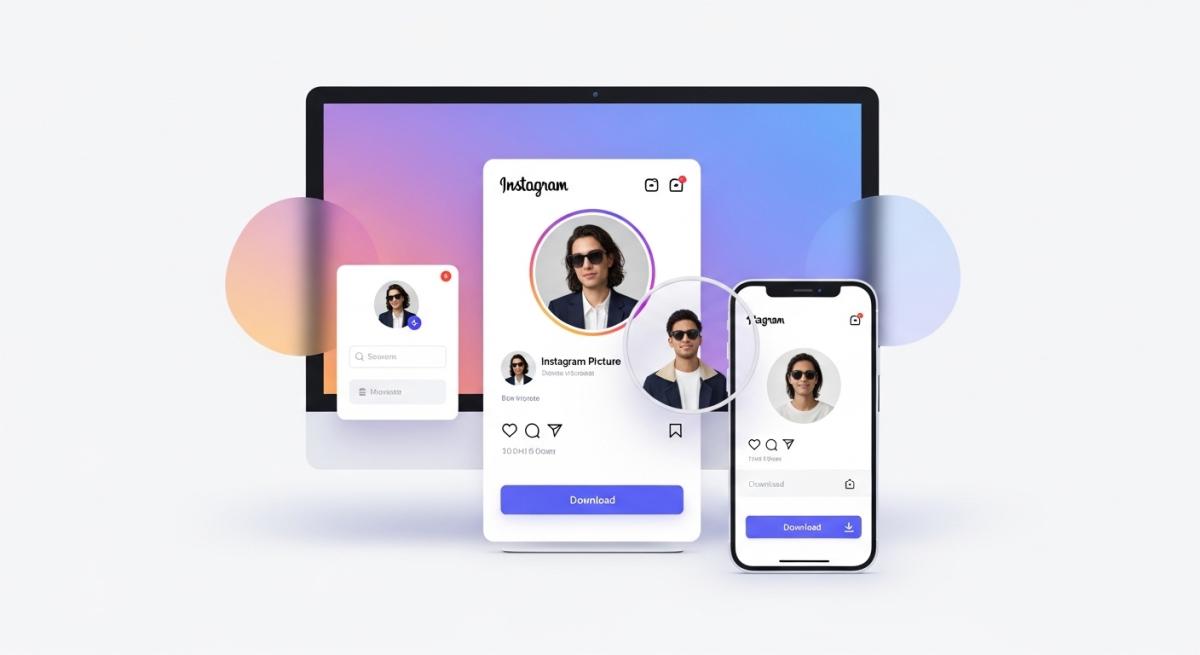
How to Download Instagram Profile Picture: Easy Guide
Instagram is one of the most visual platforms on the internet, yet one of its smallest elements often creates a surprisingly common problem. Profile pictures are easy to notice, but not easy to open in full size. If you have ever tried to get a better look at someone’s profile image and realized Instagram does not really let you do that, you are not alone. That is exactly why so many people search for terms like how to download Instagram profile picture, Instagram profile picture downloader, and download Instagram profile photo.
Sometimes the reason is simple curiosity. Sometimes it is practical. You may want to confirm that you are viewing the right account, check a business logo more clearly, or save a public profile image for later reference. Whatever the reason, the need is the same: users want a quick way to view an Instagram profile picture in a larger and clearer format.
If you want a direct solution, you can try this Instagram Profile Picture Downloader to view and download public Instagram profile images easily.
Why Instagram Profile Pictures Are Hard to View
Instagram was designed for fast browsing, not detailed profile image viewing. On both desktop and mobile, profile pictures are displayed in a small circular format. That works well for general navigation, but it does not help when you actually need to see the image clearly.
This becomes especially frustrating when the profile photo contains important details. A face, a brand icon, a company logo, or even text inside the image can be difficult to recognize at a glance. On top of that, many usernames look similar, so the profile image is often the fastest way to confirm whether you are looking at the correct account.
That is why users often search for an Instagram Profile Picture Downloader instead of relying on the Instagram app itself. The platform shows the image, but not in a way that is useful when clarity matters.
What Is an Instagram Profile Picture Downloader
An Instagram Profile Picture Downloader is a tool that helps you view and save a public Instagram profile image more easily. Instead of depending on a tiny in-app thumbnail, you enter a username or profile link and let the tool pull up the image in a larger format.
For most users, the value is in convenience. There is no need to zoom in awkwardly, take a screenshot, or crop a blurry image by hand. A proper downloader is built to make the process faster, cleaner, and more user-friendly.
This is also why related search terms remain popular. People may search for download Instagram profile picture, Instagram DP downloader, Instagram profile photo downloader, or view Instagram profile picture full size, but the intent is almost always the same. They want a better way to access a profile photo that Instagram keeps too small.
How to Download Instagram Profile Picture
The process is usually very simple, especially when you use a dedicated tool.
Step 1: Find the Public Instagram Profile
Open Instagram and go to the public profile whose image you want to view. Make sure you have the correct username or copy the profile URL directly.
Step 2: Paste the Username or Link Into the Tool
Go to a reliable Instagram Profile Picture Downloader and paste the username or profile link into the search field. This allows the tool to locate the correct public profile image.
Step 3: View the Profile Picture in a Larger Size
Once the tool loads the result, you can view the Instagram profile picture more clearly. This is usually much better than trying to inspect the tiny circular thumbnail inside the app.
Step 4: Download the Image if Needed
If the tool offers a download option, you can save the public profile image for later use or reference. This is much easier than taking a screenshot and manually editing it afterward.
A simple option is this Instagram Profile Picture Downloader, which helps you view and download Instagram profile pictures quickly.
Why Screenshots Usually Do Not Work Well
At first, many users try the most obvious solution: taking a screenshot. While that may seem convenient, it usually produces a poor result. A screenshot only captures the small version of the image shown on your screen, which means it often looks blurry when enlarged.
There is also the issue of cropping. In most cases, a screenshot includes parts of the Instagram interface, so you need to edit the image manually. Even after cropping, the quality is often disappointing because you are still working with a small source image.
That is why a dedicated Instagram Profile Picture Downloader is often the better choice. It reduces extra steps and usually gives you a cleaner, more useful result.
When Downloading an Instagram Profile Picture Can Be Useful
There are many ordinary situations where a larger profile photo is helpful.
Identifying the Correct Account
Some accounts have very similar usernames. A clearer profile image can help you confirm whether you are looking at the right person, brand, or business.
Viewing a Brand Logo More Clearly
For businesses and creators, profile photos often contain logos or visual branding. A full-size view makes it easier to inspect those design details.
Saving a Public Profile Image for Reference
Sometimes users want to keep a public profile image for later reference. This can be useful when comparing accounts, checking branding consistency, or simply revisiting the image without searching again.
Avoiding Low-Quality Workarounds
Many people search for how to download Instagram profile picture because they want to avoid screenshots, zoom tricks, and other methods that do not give good results.
What Makes a Good Instagram Profile Picture Downloader
Not every tool offers the same experience. A good Instagram Profile Picture Downloader should be clear, fast, and easy to use without unnecessary steps.
The first thing users usually notice is speed. If the page loads quickly and the tool works without confusion, the experience immediately feels better. The second thing is simplicity. A good tool should not require technical knowledge. Users should be able to paste a username, view the result, and move on.
It also helps when the tool works well on both desktop and mobile. Many people search for Instagram-related tools on their phones, so mobile usability matters just as much as desktop usability.
Most importantly, the tool should solve the problem directly. People do not search for a profile picture downloader because they want a long process. They want to view the image, download it if needed, and do it without friction.
Is It Legal or Safe to Download an Instagram Profile Picture
This depends on how the image is used. In general, users looking at public Instagram profile pictures are usually trying to view content that is already publicly visible. However, downloading or reusing someone else’s image for misleading, commercial, or unauthorized purposes can create problems.
The safest approach is simple: use these tools responsibly, focus on public profiles, and avoid using downloaded images in ways that could misrepresent someone else’s identity or content.
For ordinary viewing and reference purposes, users are usually just looking for a clearer version of a public image they can already see on the platform.
Common Questions About Instagram Profile Picture Downloads
One common question is whether Instagram itself lets you open profile photos in full size. In most cases, the platform does not offer that kind of easy viewing experience, which is exactly why users look for external tools.
Another common question is whether you need special software. Usually, the answer is no. A browser-based Instagram Profile Picture Downloader is often enough.
People also ask whether this works on mobile devices. A good tool should work just as smoothly on mobile as it does on desktop, since many users search from their phones.
Final Thoughts
If you want to download Instagram profile picture images in a quick and simple way, using a dedicated tool is usually the easiest method. Instagram keeps profile pictures small, which makes it difficult to see faces, logos, and other important details clearly. That limitation is the reason so many users search for a better solution.
A reliable Instagram Profile Picture Downloader helps remove that frustration. Instead of settling for blurry screenshots or awkward workarounds, you can view the image in a larger format and download it when needed. For anyone trying to identify an account, inspect a profile photo, or save a public image for later, that makes the process much more practical.
To view and download public profile images more easily, try this Instagram Profile Picture Downloader.
Hand-Picked Articles
Carefully selected related content just for you
Get More Instagram Likes and Boost Your Engagement
Increase your Instagram likes instantly and build stronger engagement with real, authentic users that help your posts re...
Read Full Article
Turn Instagram Followers into Paying Customers
Learn how to convert Instagram followers into loyal customers using proven content and sales strategies that drive real...
Read Full Article
Buy 5000 Instagram Followers in 2026: Best Deals
Looking to buy 5000 Instagram followers in 2026? Compare the best deals, learn about safe delivery methods, and grow you...
Read Full Article