Instagram Highlights: Turn Profile Visitors Into Followers
Learn how to use Instagram Highlights to build trust, showcase offers, guide visitors to action, and increase conversions with strategic profile design.
How to Use Instagram Story Highlights to Convert Profile Visitors Into Followers (and Buyers)
When someone lands on your Instagram profile, they decide in seconds whether to follow you — or leave.
Your Story Highlights can make or break that decision.
Most creators treat Highlights like storage. But smart brands use them as a mini funnel that builds trust, shows proof, and leads to conversion.
Here’s how to turn your Highlights into a strategic asset — not just a visual decoration.
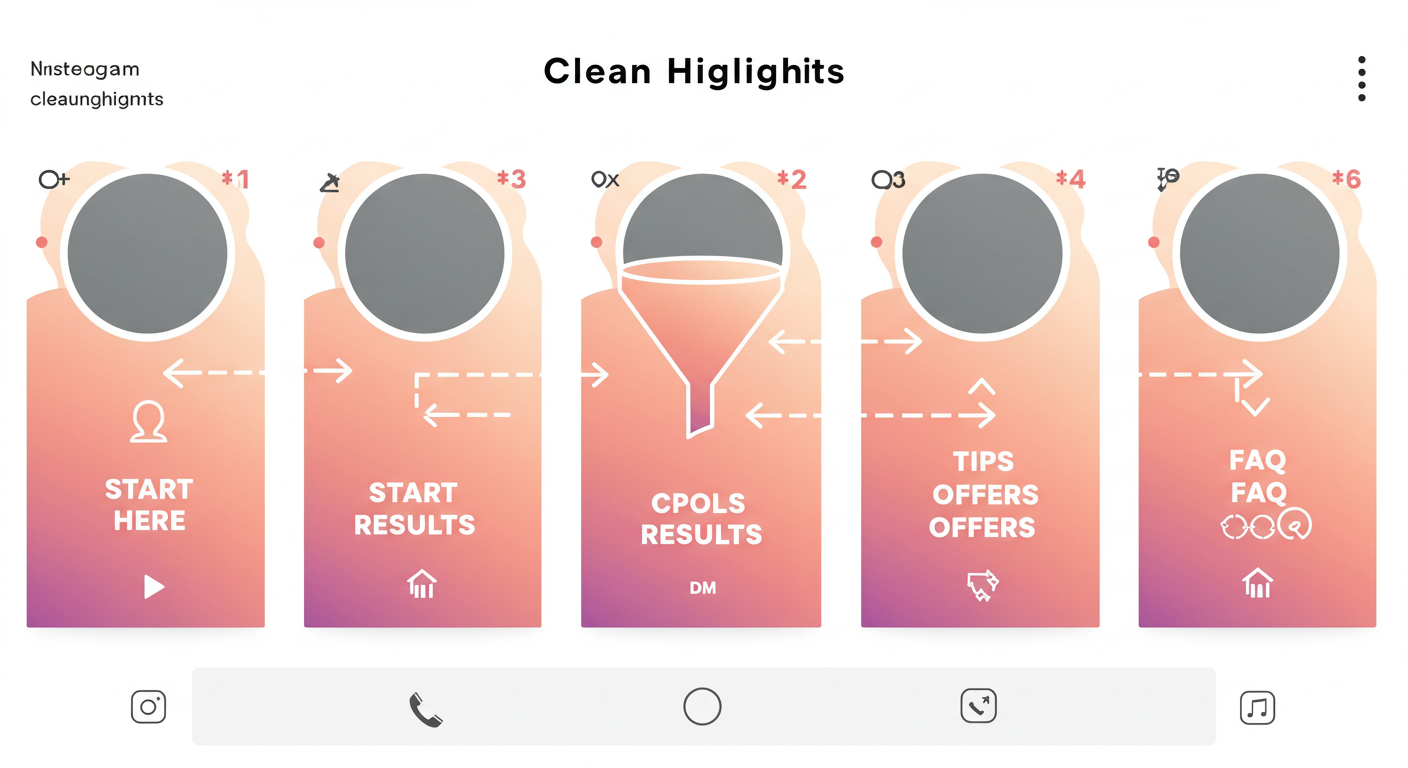
1. Treat Your Highlights Like Website Pages
Each Highlight should serve a clear purpose — just like website navigation.
✅ Examples of high-converting Highlight categories:
-
🔰 Start Here
-
💡 What I Offer
-
✅ Results / Testimonials
-
🧠 Tips or Mini Lessons
-
🎁 Freebies
-
📩 FAQ / Booking Info
This tells new visitors what you do, how you help, and how to take action.
2. Use a Branded, Clean Cover Design
Your cover design = your shelf appeal.
Tips:
-
Stick to 1–2 brand colors
-
Use minimal icons or text (📌, 🎓, 💬, 🎁, etc.)
-
Use Canva or similar tools for consistency
Why it matters: A polished visual = perceived professionalism = higher trust.
3. Lead With “Start Here” to Build Context
Most people land on your profile with no context.
A "Start Here" Highlight should quickly explain:
-
Who you are
-
What you help with
-
What they can expect if they follow
🎯 Bonus: Use voice or selfie videos to build instant connection and warmth.
4. Create a Highlight Just for Results & Proof
Social proof builds instant trust.
Include:
-
Client wins
-
Testimonials
-
Before/after stories
-
Screenshots of results or kind messages
📌 Pin the most impressive ones at the front of the Highlight.
5. Use a Highlight to Showcase Your Offer or Funnel
If you have:
-
A product
-
A service
-
A lead magnet
-
A community (like Telegram or newsletter)
→ Dedicate a Highlight to it.
Structure:
-
What it is
-
Why it helps
-
How to access it
-
FAQs or common objections
End with:
“Tap the link in bio or DM me ‘ACCESS’ to get started.”
6. Refresh Your Highlights Every 4–6 Weeks
Instagram doesn’t surface old Highlights in the algorithm — and users can tell if your content feels outdated.
Set a reminder to:
-
Replace outdated info
-
Add new results or offers
-
Update designs seasonally
✨ Fresh = relevant = more likely to convert.
7. Track Which Highlights Get Clicks and DMs
Check Instagram Insights:
-
Which Highlight gets the most taps?
-
Which one leads to profile link clicks or replies?
-
Which ones get saved?
Then double down:
If “Results” gets the most replies, add more proof posts.
If “Free Guide” gets low taps, tweak the design or CTA.
📊 Data turns guesswork into growth.
Final Thoughts
Your Instagram Highlights are not “extras” — they’re your first impression.
And in a platform where attention is short, Highlights give you a chance to guide the viewer before they scroll away.
✅ Set up Highlights with intent
✅ Showcase your value clearly
✅ Lead them step by step
At socialbulker.com, we help creators and entrepreneurs design Instagram profiles that build trust and drive action — starting from the first tap.
Hand-Picked Articles
Carefully selected related content just for you
Optimize Your Instagram Profile for Maximum Growth
Optimize your Instagram profile in 2025! Master expert tips to attract followers, boost engagement & stand out as a top...
Read Full Article
How to Master Instagram Reels in 2025 for Maximum Growth
Optimize Instagram Reels 2025! Master best strategies to boost reach, increase engagement & grow followers with trending...
Read Full Article